
One platform for every workflow.
CI, business automation, month-long runs - one engine, on your own machines. A parked run holds no machine and no memory, so a forty-second build and a two-week soak are the same kind of thing here, and can be the same run. Write it as a pipeline, a script in any language, or a graph.
$ curl -fsSL https://cryosleep.io/install.sh | sh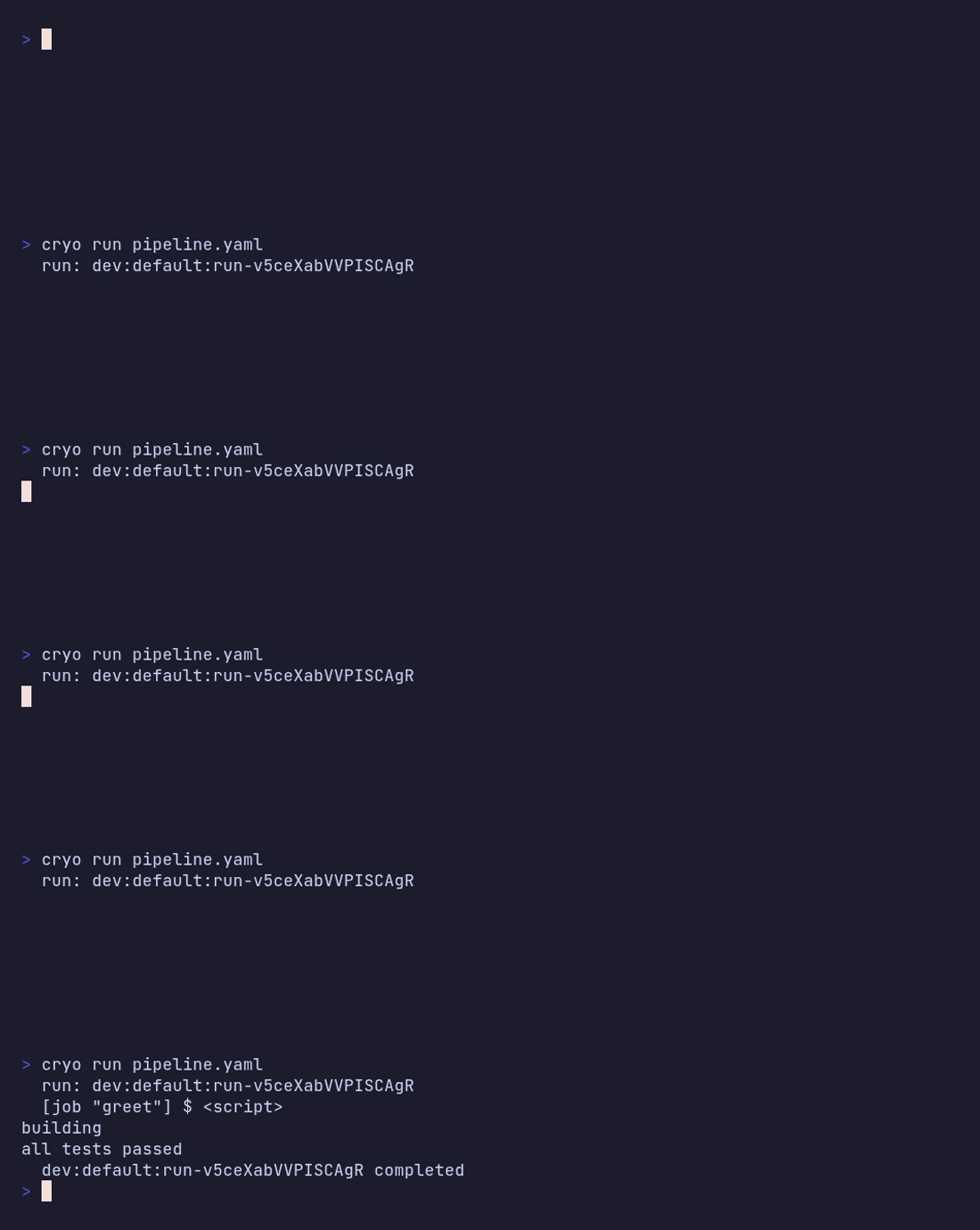
Three systems, and the state falls between them
A build system runs your toolchain but can't wait: the moment work needs an approval or a soak, it hands off to something else. A workflow engine waits happily, but wants your code living inside its programming model. An automation builder does neither once the work needs tests, review, or a way back.
Every one of those boundaries is a place state gets dropped and somebody rebuilds it by hand. Here a single run spans machine time, calendar time and human time without changing systems - one history, one place to look.
Deploy without stranding runs
A run replays against the definition it started with, so shipping new workflow code leaves in-flight runs alone. They finish on their pinned version; new runs pick up the change. There are no version markers to carry for months and no parallel worker fleets to keep alive while old runs drain.
Your machines, your network
Bring your own agents. Each one advertises capabilities and only claims work that matches, so build hardware, GPUs, and network-restricted runners coexist on one queue - inside your infrastructure.
Three ways to write it. One run underneath.
A graph lowers to the same durable core as a pipeline or a script, so what you draw is a real workflow with checkpoints and replay, not a diagram. Pick the surface that fits the person doing the work - the timeline reads the same either way.
Draw it
Steps, waits, approvals and connector calls, wired by dependency. An inspector per node with labeled fields, expressions completing against what upstream nodes actually produced, validation as you type, and published versions a run is pinned to.
Write it as a pipeline
YAML for the classic build-test-deploy shapes, with the durable primitives available as job kinds: a timer, a gate, a wait on an event, a child workflow.
Write it in your language
A preview environment that deploys, parks until the PR closes
holding no agent, then tears down. The deploy and the teardown are
real functions whose results persist across the wait. Every
cryo step is a checkpoint, completed steps replay
instantly, and there is no sandbox to work around - the rules are a
short list you can hold
in your head.
from cryosleep import script

env = script.step_fn("deploy", lambda: deploy(host))
script.wait_event("pr.closed")
script.step_fn("teardown", lambda: teardown(env))
import { stepFn, waitEvent } from '@cryosleep/sdk';
const env = await stepFn('deploy', () => deploy(host));
await waitEvent('pr.closed');
await stepFn('teardown', () => teardown(env));import cryosleep "cryosleep.io/go"
env, _ := cryosleep.StepFn("deploy", func() (PreviewEnv, error) {
return deploy(host)
})
cryosleep.WaitEvent("pr.closed")
cryosleep.StepFn("teardown", func() (any, error) {
return nil, teardown(env)
})let env: PreviewEnv = cryosleep::step_fn("deploy", || deploy(host))?;
cryosleep::wait_event("pr.closed")?;
cryosleep::step_fn("teardown", || teardown(env))?;
Submit by extension and the interpreter is picked for you. These
are ordinary programs - the SDK is a socket write, so there is no
runtime to port and nothing to register. Bash gets the same verbs
through cryo step with no library at all.
What people run on it
CI that doesn't stop at the finish line
Build, test and ship on your own machines, then keep going: soak the release for two weeks, gate production on a person, roll back from the same run that deployed it.
Business workflows that outlive the process
A refund that waits two days on a human. An onboarding sequence spanning a fortnight. Dunning that retries on a schedule and stops when someone pays. The run holds no worker while it waits, so a month-long workflow costs about what a database row costs.
Integrations that are actually engineered
Connector calls, webhooks and model calls on a canvas - with the things a canvas usually can't give you: a draft you publish deliberately, a version each run is pinned to, real code for the parts where the logic gets hard, and a failure that arrives as an event you can route rather than a green tick you have to notice.
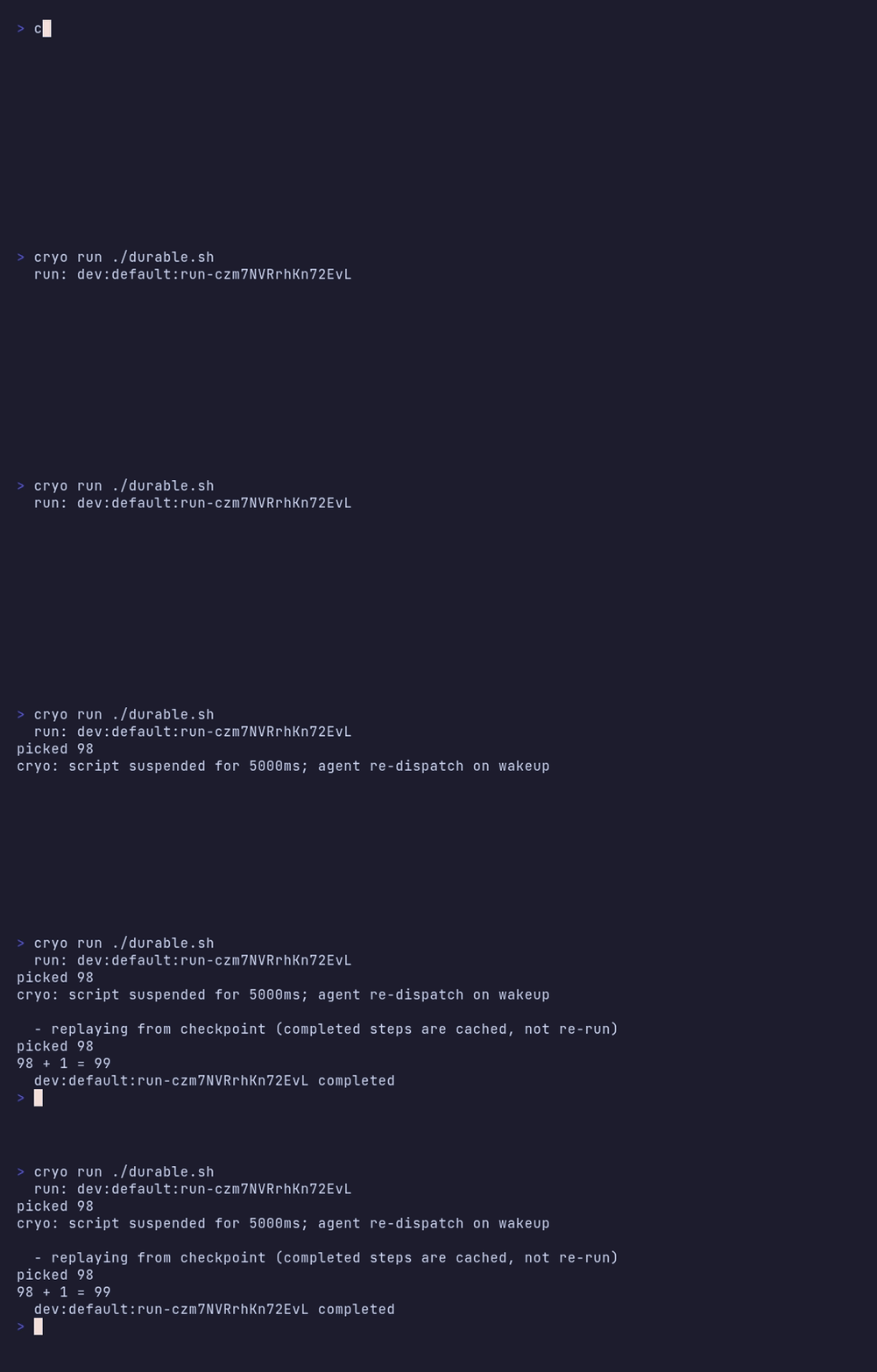
The same random number, twice
durable.sh draws a random number in a checkpointed
step, sleeps, then does arithmetic on it. The process exits at the
sleep and starts again from line one - and the number is the same,
because the step replayed instead of re-running.
Kill the engine instead of waiting for the timer and nothing about
that changes - the checkpoint is in the database, which is the one
thing a kill -9 can't reach. There's a
recording of that too.
Four that would otherwise need two systems
The deploy that watches itself
jobs:
  build:
    steps:
      - { name: compile, run: make release }
  deploy:
    depends_on: [build]
    steps:
      - { name: ship, run: ./deploy.sh staging }
  soak:
    depends_on: [deploy]
    wait_for_event: { event: alerts.fired, timeout: 14d }
  rollback:
    depends_on: [soak]
    if: ${{ !steps.soak.output.timed_out }}
    steps:
      - { name: undo, run: ./deploy.sh staging --rollback }
  promote:
    depends_on: [soak]
    if: ${{ steps.soak.output.timed_out }}
    approval:
      prompt: "Promote to production?"
One run owns the commit's whole life: it builds on the merge, deploys to staging, then waits two weeks for an alert that hopefully never comes. If one fires, the run rolls the deploy back; if the fortnight passes quietly, it gates production behind a human who answers when they get to it. The wait resolves once, to whichever arrived first, so a late alert can't unpick a decision already taken. Nothing holds an agent while any of this happens, and the whole decision trail is the run's own timeline. Most CI systems cap how long a job may run; workflow engines that can wait that long don't check out your repo or run your build.
The approval that waits three days
jobs:
  plan:
    steps:
      - { name: plan, run: terraform plan -out=tf.plan }
  review:
    depends_on: [plan]
    outputs:
      decision: decision
    approval:
      prompt: "Apply this plan to production?"
      fields:
        - { name: decision, type: select, options: [apply, discard] }
  apply:
    depends_on: [review]
    if: ${{ steps.review.output.decision == 'apply' }}
    steps:
      - { name: apply, run: terraform apply tf.plan }
The run parks on review holding no agent and no
machine. Someone approves it on Monday, and what they picked in
the form decides whether apply runs at all.
Automation platforms handle the waiting but can't run your
toolchain; build systems run the toolchain but can't wait.

The business event that runs real code
Publish a graph with a webhook trigger and it mints its own inbound URL and signing secret. The delivery becomes the run's input, and the run is an ordinary pipeline with your repo, your tools and your secrets:
jobs:
  provision:
    retry:
      attempts: 3
      backoff: 30s
    steps:
      - { name: provision, run: ./scripts/provision-tenant.sh "$CRYO_INPUT" }
  smoke:
    depends_on: [provision]
    steps:
      - { name: smoke, run: ./scripts/smoke-test.sh }
A signup in your payment provider ends up applying terraform, with retries and an audit trail, and nothing in between had to be glued together. Usually this shape needs one tool to catch the event and a second one to do anything real with it.
The agent loop that survives the process
#!/usr/bin/env bash
set -e

turn=1
while [ "$turn" -le 20 ]; do
  reply="$(cryo step "model-$turn" -- ./ask-model.sh "$goal")"
  [ "$reply" = "done" ] && break
  cryo step "tool-$turn" -- ./run-tool.sh "$reply"
  turn=$((turn + 1))
done
Every turn is a checkpoint. Kill the process mid-loop and the turns already taken return their recorded answers instead of being paid for twice, and the tool call they made doesn't run again. Put an approval gate inside the loop and the run parks there until a human answers. The model is wherever you point it - a hosted API, or an endpoint on your own hardware with no credential at all.
Try it without an account
Everything above runs on your own machine. cryo init
writes the starters, cryo run executes one, and
cryo dev keeps a local instance with the web UI when
you want runs to stick around. The
getting started guide
ends by killing the engine with kill -9 mid-run and
watching it pick up where it left off.
Cryosleep is running production workloads (including its own CI) and is open to invited users while the edges get sanded.